ChatGPT Image QR Code Creation
96 views
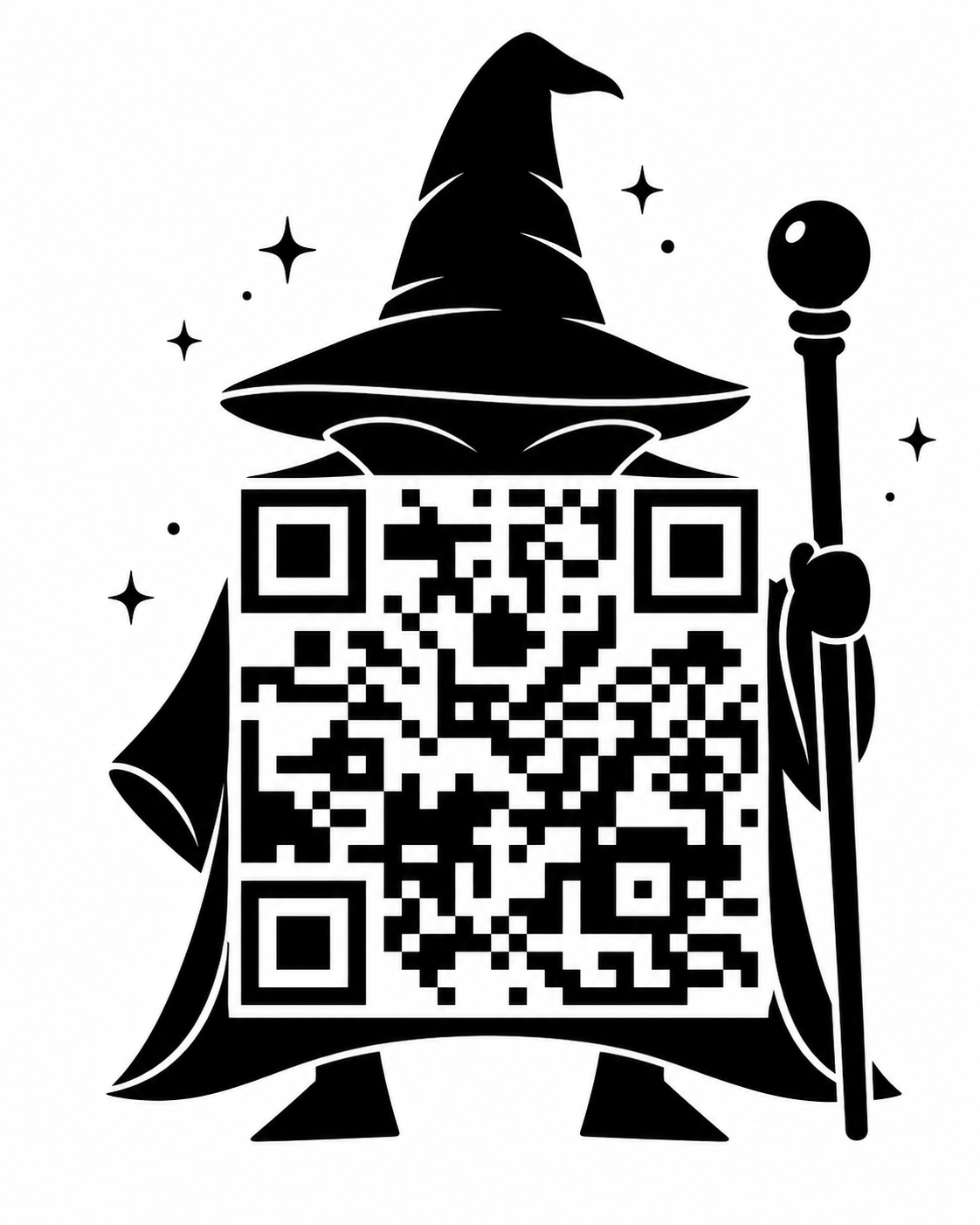
Featured Image
Use this to create an image with a working QR code in ChatGPT
Prompt
Create a clean, high-contrast image that contains a working QR code linking to this exact URL:

[PASTE URL]

Design the QR code so it is integrated into the shape of [SUBJECT OR OBJECT].

Requirements:
- the QR code must be functional and scannable with a phone camera
- keep the QR code large, clear, and easy to scan
- maintain strong contrast
- use a clean white or very light background
- keep decorative elements outside the critical scannable area
- the final image should clearly resemble [SUBJECT OR OBJECT]
- style: [VECTOR / PLAYFUL / PREMIUM / MINIMAL / BOLD / CARTOON / EDITORIAL]
- composition: centered, clean, visually striking

If a reference image is provided, use it for visual inspiration and shape/style guidance, but still generate a working QR code that links to the exact URL above.

Avoid:
- cluttered background
- low contrast
- tiny details over the QR code
- making the QR too small to scan
- excessive distortion that harms scanability