AI Viral Video Template
97 views
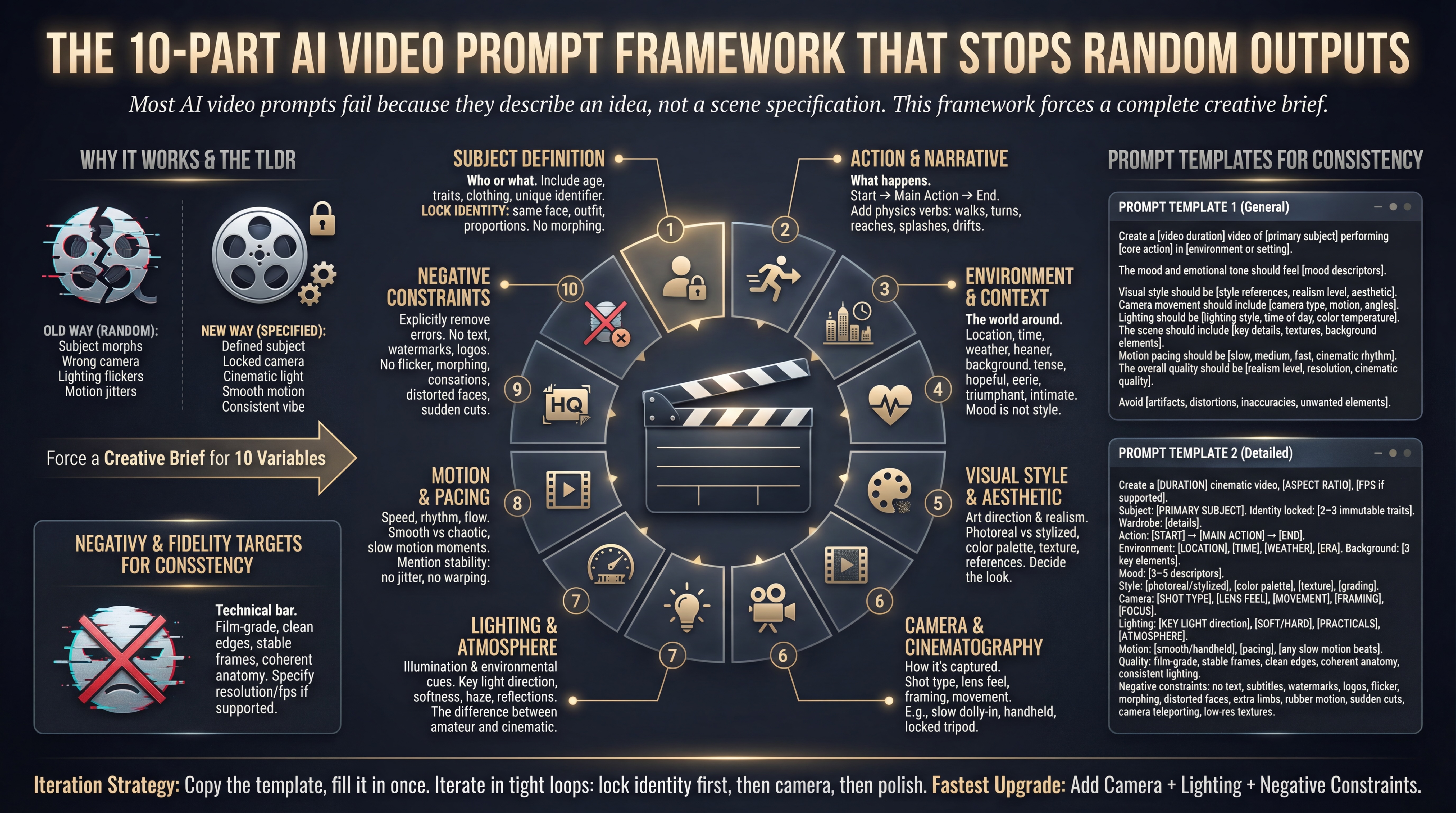
Featured Image
Use this AI Video prompt to create cinematic viral videos with Veo, Sora, Runway, Pika
Use this AI Video prompt to create cinematic viral videos with Veo, Sora, Runway, Pika
Create a [video duration] video of [primary subject] performing [core action] in [environment or setting].
The mood and emotional tone should feel [mood descriptors].
Visual style should be [style references, realism level, aesthetic].
Camera movement should include [camera type, motion, angles].
Lighting should be [lighting style, time of day, color temperature].
The scene should include [key details, textures, background elements].
Motion pacing should be [slow, medium, fast, cinematic rhythm].
The overall quality should be [realism level, resolution, cinematic quality].
Avoid [artifacts, distortions, inaccuracies, unwanted elements].
Read my reddit post on this prompt https://www.reddit.com/r/promptingmagic/comments/1qhrayy/use_this_ai_video_prompt_to_create_cinematic/
Co-founder of Prompt Magic and ThinkingDeeply.ai Career Chief Marketing Officer
Build your personal prompt library, save your favorites, and access curated AI prompts created by the community
Access a vast library of high-quality AI prompts for every use case
Save prompts to your personal library and organize them your way
Get started with full access to our core features at no cost
No credit card required • Free forever • Join 10,000+ users
Here is the image prompt template you can use to make your AI Images look awesome
Use this default prompt structure to unlock truly cinematic results. Think like a screenwriter and a cinematographer.
Let Gemini create the ideal Veo 3 prompt for your video by adding your script or concept to Gemini with the prompt below.
basic parameters to create a well formed Midjourney prompt, ie: A vibrant illustration of a whimsical treehouse city, interconnected by glowing vines and rope bridges, fantasy art, warm afternoon sunlight, detailed, high resolution, --ar 3:2
Use this when you want a realistic image that does not scream “AI.” Replace the bracketed sections.
Copy and paste this into the NotebookLM video overview tool. Note how it restricts generic tropes and forces the video rendering engine to follow specific visual rules.